

Excel in one hour – learn the basics quickly and for free
A free online Excel course with video lessons, exercises, and a diploma – perfect for individuals and businesses alike. This is a hands-on crash course designed for anyone who wants to stop feeling unsure in Excel and start working smarter right away. You’ll learn our most popular tips, functions, and formulas – all in under an hour. Once completed, you’ll receive a diploma and an exclusive offer on our full Excel Essentials course.
- Get started with Excel – fast and easy
- Learn the basics in under 60 minutes
- Boost your CV with a diploma
- Short video lessons and practical exercises
- 7-day access – start right away
- No prior knowledge or payment required
- Complete the course and get 50% off Excel Essentials
Try some lessons in this course for free
Fill in your e-mail address and telephone and we will give you 7 days free access to some lessons in this course.
Course Content
Course manager

Emil
Emil is a key member of our product development team. He has been creating courses at Learnesy since 2017 and has a strong academic background in computer science. Many of the most popular courses in Learnesy’s library have been developed by Emil, who brings broad expertise in Excel, data analysis, and programming.
Some of the things you will learn in this course:
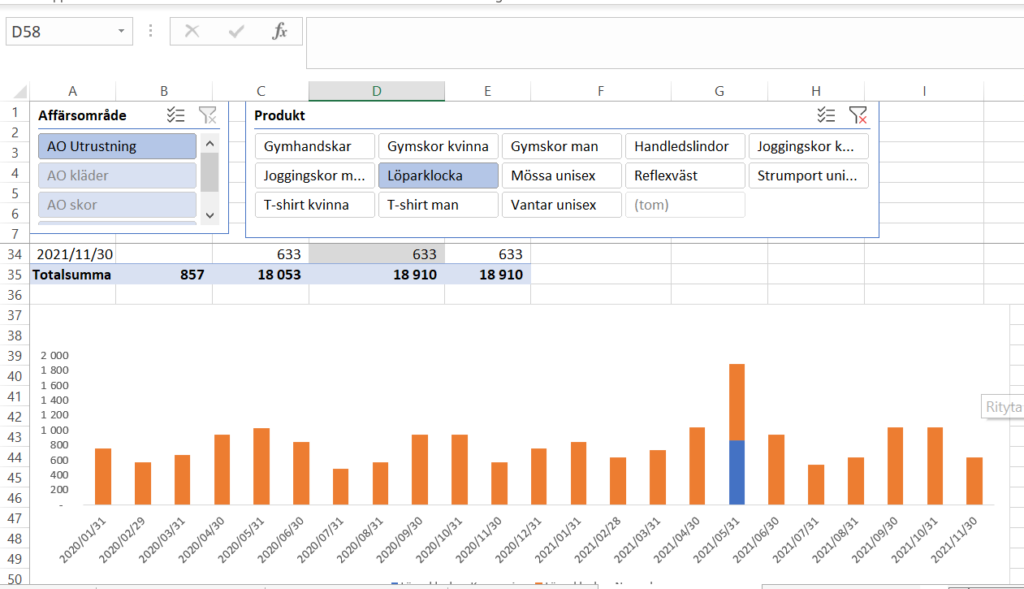
Master Excel with confidence
Since 2014, our courses have been built on short video lessons and clear exercises. Here, you’ll get a feel for how effective it is to truly learn Excel, step by step.
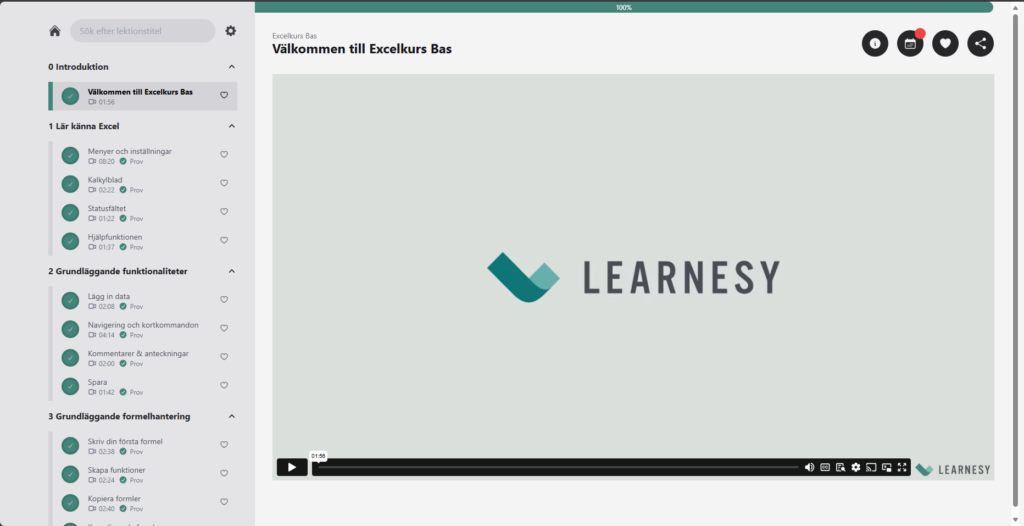
Get Comfortable with Our Platform – Learn Without Distractions
Our learning environment is easy to navigate, with no unnecessary clicks or clutter. Everything is designed to help you focus on learning, not searching.
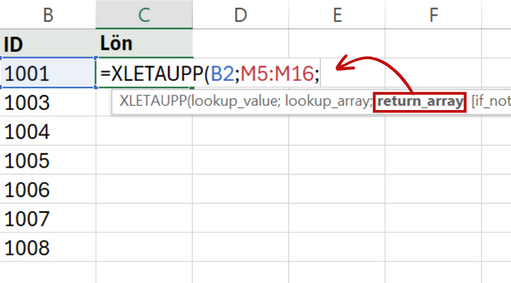
Learn the Essentials – Right from the Start
You’ll master the basics: formulas, formatting, AutoSum, and other key functions that give you confidence in your daily work.

See How Far You’ve Come – and What You Can Learn Next
After the course, you’ll have a clear sense of what you’ve mastered, and what your next step could be.
More about the course
The Course Works with Most Versions of Excel
This Excel course is recorded using the latest version of Excel. It works well with Excel 2019/Microsoft 365 and earlier versions going back to 2010.
If you’re using a Mac with Excel 2016 or later, there are some differences, but the course is still a great way to get started with Excel.
Need Excel on your computer? You can purchase it from Microsoft here.
In this course, you’ll get the most essential and relevant parts we’ve selected from our popular Excel Basics course. Just like the full course, this introductory version is built around short video lessons that efficiently teach you each key concept.
Each lesson also includes a quiz to test your knowledge, and many of them come with hands-on exercises in Excel. The course is fully online and structured around short lessons and practical exercises.
Try our online course today and see for yourself how smooth the learning experience is. When you’re ready to take the next step and truly master Excel, we’re here to guide you through the Excel jungle.
Get in touch with us at Learnesy here.

How Your Learnesy Course Works
At Learnesy, we believe that education should be accessible and straightforward. That’s why we’ve created a platform with you, the user, at the center. Within the platform, you can easily navigate in and between your online courses.
• My Account – here you’ll find your dashboard, where you can access both ongoing and completed courses. Your dashboard is the starting point for your learning journey.
• Get a glimpse of a Learnesy course – from your dashboard, you can easily click through to an ongoing or completed course.
• Favorite and share lessons – found a particularly useful segment or something you want to review again? You can save these by marking them as favorites. You can also share lessons with others who might benefit from them.
• Quizzes and practice exercises – practice makes perfect. Here, you put your theoretical knowledge into action. All quizzes, as well as all course content, can be repeated.
• Congratulations on your course diploma – upon completing a course, you’ll receive a personal, shareable diploma as proof of your new skills.
Have a question? You might find your answer here. If not, don’t hesitate to contact us.
FAQ
Is the course really completely free?
You can learn Excel quickly for free by combining short video lessons with hands-on practice directly in Excel. A free online Excel course is a good option for beginners who want to learn formulas, tables, and charts at their own pace with just a few hours of practice each week.
Is there a free version of Excel?
Yes, Microsoft offers a free web-based version of Excel through Microsoft 365 online. It works directly in your browser and includes many of the most commonly used features. Many people combine it with a free Excel course to practice formulas, tables, and basic data handling.
How long does it take to learn Excel?
It is possible to learn the basics of Excel in around 5–10 hours with regular practice. An Excel course for beginners usually covers formulas, formatting, tables, and sorting. More advanced topics like PivotTables and data analysis typically take longer to master.
Is Microsoft Excel training free?
Some Microsoft Excel training courses are free and designed for people who want to get started without paying. A free online Excel course often includes basic topics such as cell references, functions, and charts. More comprehensive training programs usually include deeper exercises and work-related applications.
Can I teach myself Excel?
Yes, many people learn Excel on their own through online courses and practical exercises. A free Excel course makes it possible to study at your own pace and repeat lessons whenever needed. Start with basics like formulas, tables, and filters before moving on to more advanced features.
How do beginners start learning Excel?
The best way for beginners to start learning Excel is to focus on the fundamentals first. An Excel course for beginners usually starts with cells, formatting, basic formulas, and tables before introducing more advanced features. Short lessons and practical exercises make it easier to get started quickly.
Can AI do Excel?
AI can help with many tasks in Excel, such as creating formulas, summarizing data, and suggesting analyses. Tools like Microsoft Copilot can save time in daily work, but basic Excel skills are still important for understanding and verifying the results correctly.
What are the basics of Excel?
The basics of Excel include understanding how spreadsheets, cells, and formulas work. Most beginner Excel courses cover formatting, basic functions, sorting, filtering, and tables. Once you understand these core features, it becomes easier to work with budgets, reports, and data analysis.
Related courses
The leading provider of digital excel courses in the nordics
Trusted by leading universities, companies, government agencies, schools, and professionals throughout the Nordics.